Sale day
Readiness, the live board everyone buys from, helping the next group, the offline backup files, reporting outcomes, and what happens for anyone still without a ticket.
Everything in TicketSquad points at one morning. This page covers the machinery that runs it for named-ticket events; the transferable flow has its own, simpler sale-day story, which is the tickets board with its demand tally. An event with more than one sale runs this machinery once per sale, and the sale plans guide covers what's per sale and what's shared. On a Closed event, where personal details stay inside each group, the hand-off between groups works through a time-boxed reveal: sale day on a Closed event covers what that adds.
Readiness: the run-up
The event page carries a readiness banner that tells the truth about the last ten percent, in one of four states. Getting set up - people are still joining, filling in required details, or waiting for a group. Ready - every active member's required data is in and everyone has a group. At risk - the sale is inside 48 hours and something still needs fixing, early enough to sort out at a sensible hour. And once any group reports, the banner becomes a post-sale summary. (People who've left the event don't count against readiness, nor do the ones helping rather than buying, and a group under its size cap is advice on the preview rather than a readiness fail.) On an event with sale plans, readiness is per plan: each sale has its own buyers and its own groups, and the Groups page says which sale the reasons are about.
The live board: where sale day actually happens
The live sale-day board is the event's sale day tab, and on iOS the sale-day screen. It isn't a separate page you open; it is the tab itself, and everything you need at checkout is on it. On an event with more than one sale it follows the sale you've selected and names it at the top, with its date or TBC and whether it's the sale being run or one being prepared.
It carries the buying tables: the required answers and their copy buttons, for every group you're entitled to see; on an Open event that's every group. Each group's table carries that group's own controls, so you can act on a group you helped an hour ago without hunting for it. Above them, a running tally shows how many groups have tickets and names the ones that do.
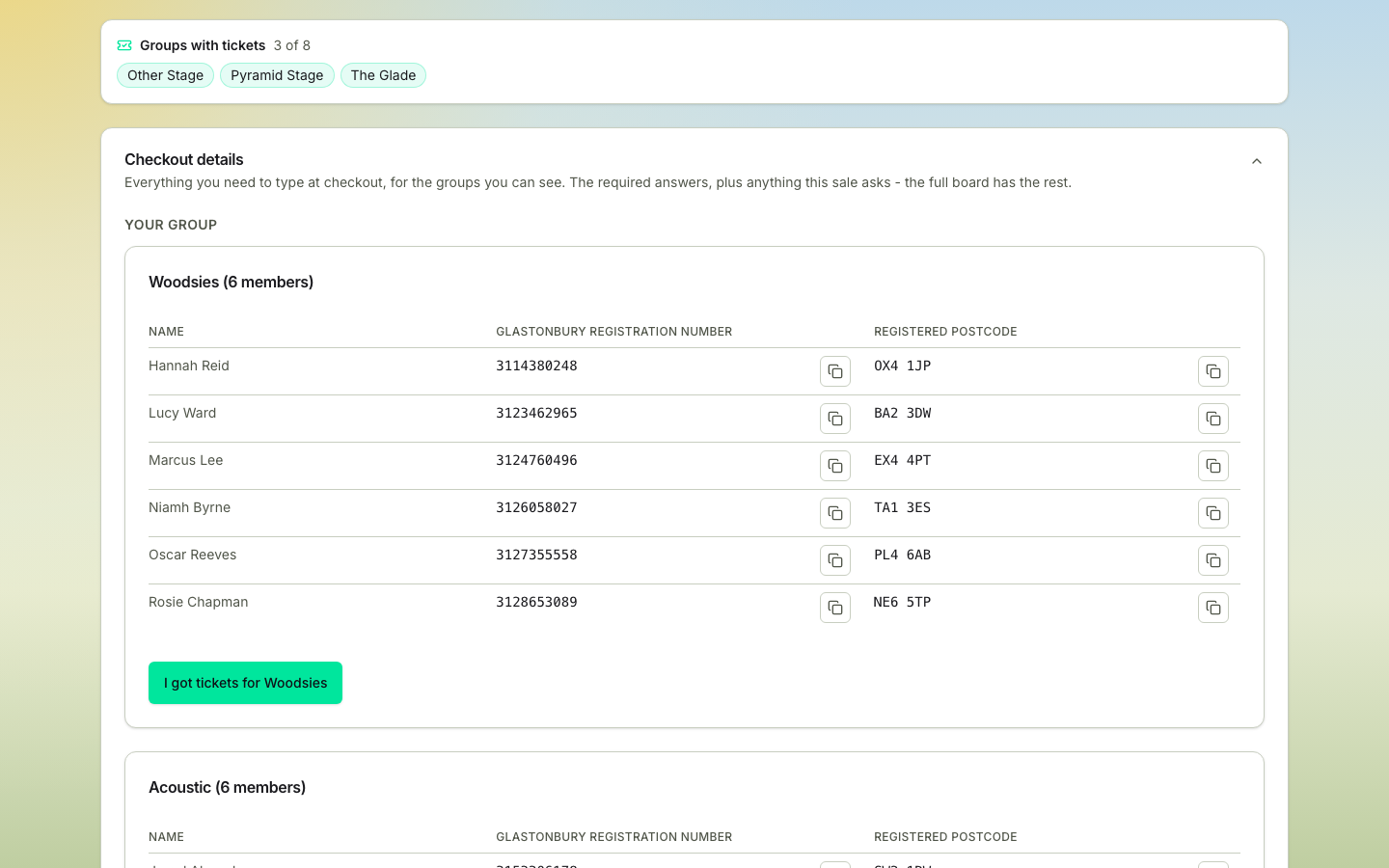
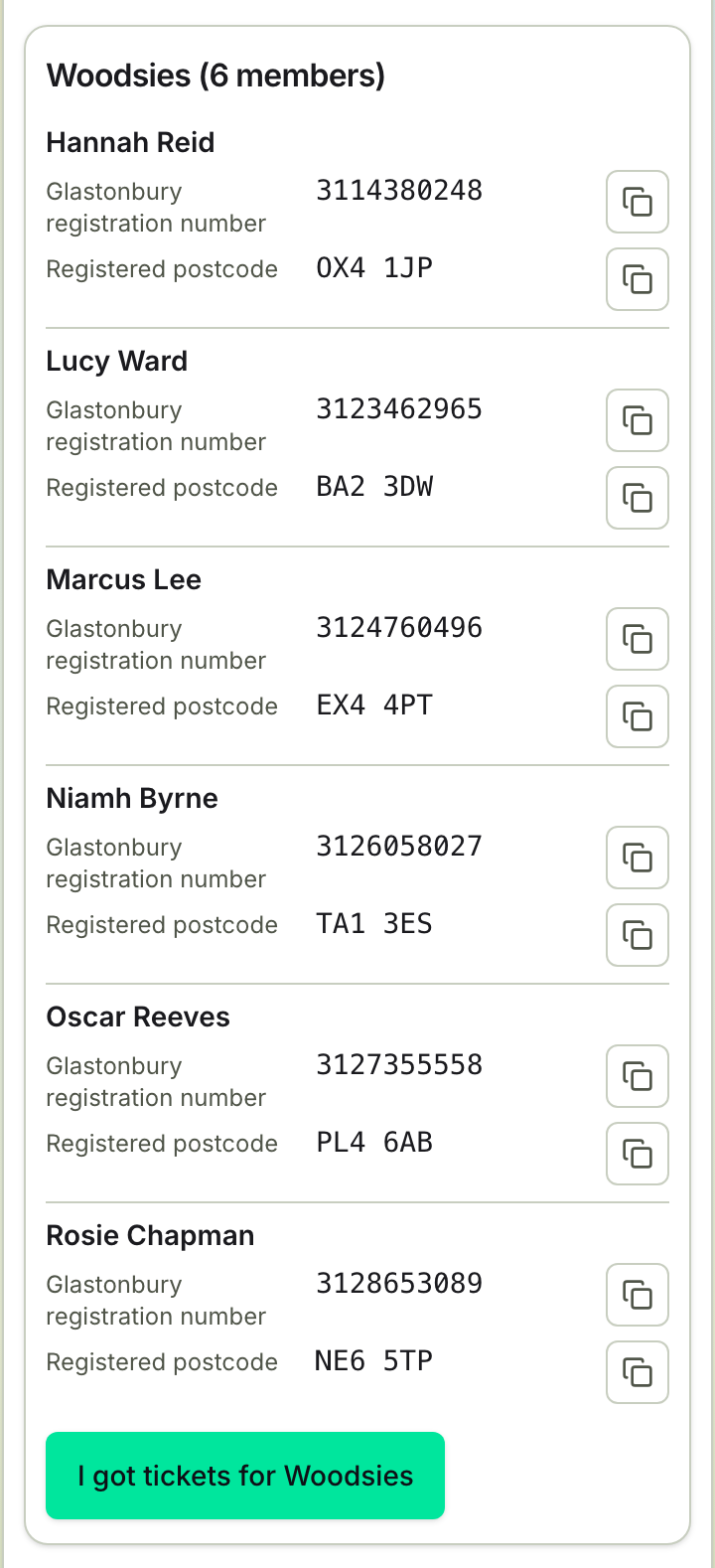
It keeps itself up to date, checking every fifteen seconds or so and catching up the moment anyone on the event records a result, celebrating if you're covered and moving the next group you can help to the top. It's a check for results, so if the page ever looks behind what you know has happened, reload it.
Behind it sits the full board, one page with everything at once: every group, the optional answers as well as the required ones, member profiles, and an Excel export. There's a link to it on the tab. Before you lean on it on the morning, know that it shows the data as it was when you opened it, so you have to reload it for changes. The tab is the half that refreshes itself, and the one to be on while the queue is moving.
On an event with sale plans, the full board and its Excel export belong to the selected sale. Check the sale name, date (or TBC) and revision at the top before you use the details. A sale being prepared alongside the one currently running is marked as a preparation preview, and the app's sale-day screen shows the same sale name, date (or TBC) and preparation preview at the top. Opened without a sale, the sale day tab and the app's sale-day screen open the one that's running, or the next sale to come while none is. Checkout details are shown only for buyers in that sale; helpers are listed too, without checkout details to copy, and on the board a group's helpers sit on one line beneath its buyers. On the sale day tab, a dot beside each of the group's people shows who's had Sale day open in the last ten minutes (green) and who had it open earlier today but not since (amber). Nobody seen today gets no dot, and "today" ends at midnight on your own clock. In an open event everybody sees the dots; in a closed one, coordinators and the group's own buyers and helpers do. People still waiting for a group are listed separately too. If the sale or your access changes while an export is being made, reload the board and export again.
Helping the next group
The tally is the whole model. Once your group has recorded a success - or you have your own ticket, which counts on its own - you're not done unless you want to be. The tab pulls the next group you can buy for to the top under Next group to help, with their details and their own button to report against, and your own group moves below it. On an Open event that's the earliest-formed group still waiting. Buy for them, report it, and the tab moves you on to the next: that relay is what makes the whole model work. On a Closed event their details are hidden from you, so the next group comes from a reveal instead.
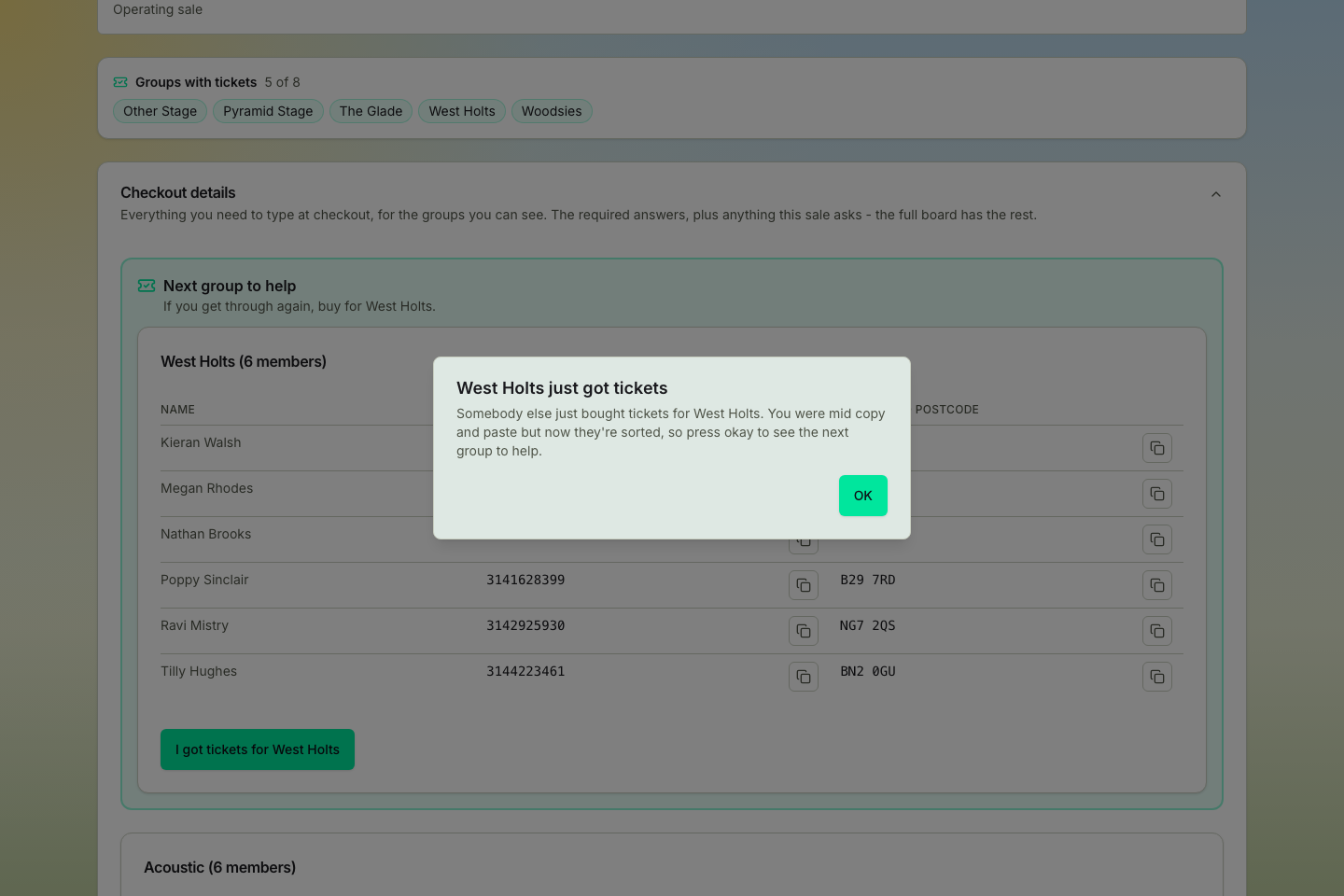
If you've already started on the next group, copying one of their details or pressing a button on their table, and somebody else records tickets for them, the tab doesn't swap them out from under you. It keeps their table on screen, pauses the refresh and tells you they've just got tickets; press OK and it moves you on to the next group.
The offline backup files: for if the site is down
Before a named-ticket rush, TicketSquad also generates each buying group a backup file: one self-contained page with the group's checkout details, saved as a moment in time. It exists for one job. If the app, the database or your phone signal gives out on sale morning, you can still open it and buy. It works with no internet at all, and you can save it or print it.
The thing to hold on to is that a backup file is a saved copy. It doesn't update, however many times you refresh it, and it can't tell you which group still needs help. Every file says so on its face and carries a link straight to the live board. Save one, keep it closed, and be glad if you never open it.
The files regenerate automatically as the sale approaches (a day out, then an hour out), and coordinators can rebuild them whenever they like. Each group's link stays the same when that sale's file is rebuilt. The file names its sale and revision, and a preparation preview is labelled as such. A link to an outdated file can stop showing checkout details until a current file is available. If some groups end up without one, a coordinator gets a Rebuild missing backup files button that puts a file back for every group that's missing one, their own group or anybody else's; files that were deliberately taken down stay down. Two hours before the sale, every active member with a verified email gets that link by email, with the file attached. Follow the link at a moment when there's no file behind it, either after the sale or during the minute or two a rebuild takes, and the page says so and takes you through to the live board.
Two flavours, with a privacy rule between them:
- Per-group files - every group gets one, in every privacy mode. It's the group's own fallback.
- All-groups file - one page with every group's data, for Open events only. Closed events never generate one, and it's also held back while any privacy-loosening confirmations are pending.
Anyone with a sale date still marked TBC can generate the files, but the real machinery only arms once a sale date is set.
Practice: the dry run
For big sales, a community can rehearse the real thing: a simulated queue and a mock checkout that checks the registration number and postcode members actually entered, so you find the typo a week early rather than live in the queue. It's a supervised exercise. The TicketSquad team sets a run up with the community (it isn't a self-serve coordinator control) and members just show up to a practice link with their sale day tab open alongside it. Feedback is deliberately terse, right or wrong per slot with a name only on a fully-correct entry, and the whole run stays inside the community practising with its own boards.
Outcomes: reporting how it went
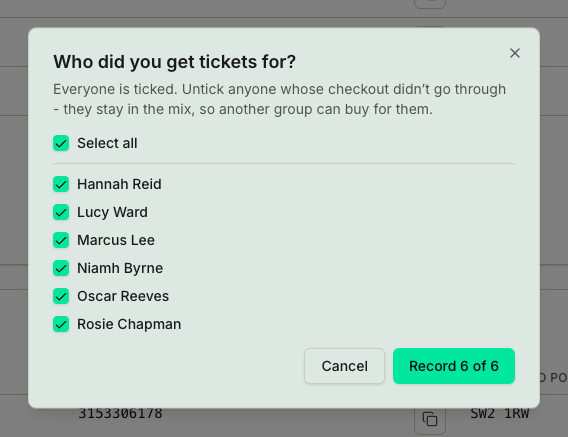
Members report one thing: that they got tickets. The I got tickets button is on your group's row on the Sale day tab before the sale opens, greyed out, and turns on by itself when the sale starts; if the sale opens earlier than announced, the TicketSquad team can start it early so the button turns on with it. Reporting a success asks who's actually covered, because real sales are messy and partial success is normal, and anyone left out stays visible for what comes next. There's no second step; the answer is recorded with the report.
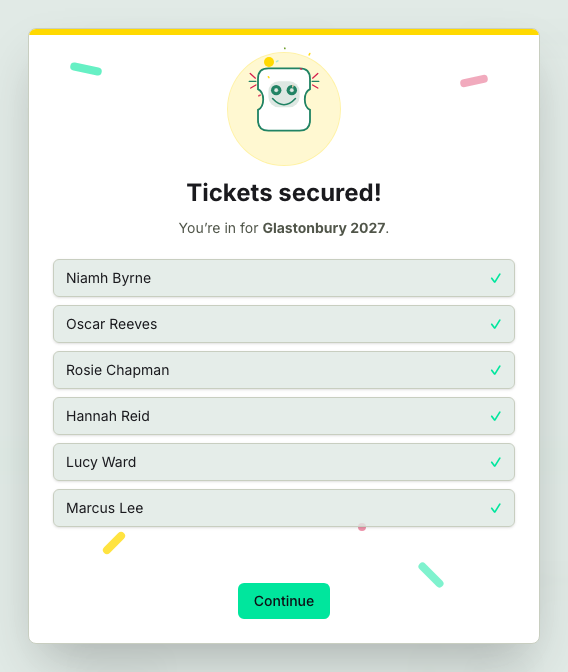
A reporter can undo within five minutes if it was a misclick.

After that the way back is the purchase fell through, where the coordinator or the buyer records that the sale collapsed, which clears the group's tickets and tells the group. Where that leaves them depends on whether the sale is still on. While it is, the group goes back to waiting for tickets, so anyone who can buy for them still can; once the sale has been ended, it puts them into the resale round instead. It sits on that group's own table, so a group you helped an hour ago is still reachable. It takes everybody's tickets away, so it isn't the button for a misclick. That's what the five minutes are for.

Missing out is the coordinator's to record, never the group's, and nobody enters the resale round before then. On an event with one sale, it goes like this. While the sale is on, everyone still without a ticket is simply still waiting, somebody another group can be sent to buy for. When it's over the coordinator presses one button, Sale over, and every group with no result recorded at all and at least one member still without a ticket is marked unfulfilled together. That same press moves everyone in a group on the event who still needs a ticket into the resale pool, including people in a group that already recorded a result, apart from anyone who's left the event or has no working email. A group that already recorded missing out is left alone rather than marked twice. Sale over is offered from the moment the sale opens until somebody presses it, so it's there even on a morning where every group got through. It names the groups it's about to mark before it does it, and asks the coordinator to tick that they've read the list. The same press ends the sale itself, switching off any live cross-group reveal at that moment rather than leaving it to run out its own clock. Nobody has to decide mid sale that their group is finished, and a group that did get through can still say so afterwards, which supersedes the mark. Everybody on the sale day tab is then told the coordinator has ended the sale.
On an event with more than one sale, Sale over is about the sale it's pressed on. Each sale has its own answer, so ending the coach sale leaves the general sale untouched, and nobody in a general sale group moves into the resale round until that sale is over too. The press also finishes the sale: it stops being the running sale, its sale-day links stop, and it can't be reopened. Its groups and results stay where they are, and a group that reports late is still announced for that sale. Another round of buying on it needs a new plan, copied from its arrangement. The next sale runs once a coordinator opens Make this the operating sale on the Groups page and approves it. A coordinator can switch the running sale at any time the same way: the review names the sale that's running now and asks them to confirm, and that sale is left exactly as it was prepared, ready to run again later.
A coordinator can correct who has a ticket. Somebody reports the wrong people, or a result nobody recorded turns out to have tickets, and whoever could fix it isn't around. Each group in Ticket buying outcomes on the sale day tab has an Adjust button for coordinators. It lists the group's members, ticked for whoever has a ticket now; tick and untick to match what really happened, then save. The group's result follows the ticks, so ticking somebody in a group with no tickets records that the group got tickets, and unticking everybody is the purchase falling through. Untick somebody once the sale is over and they go into the resale round; tick somebody on another sale who's buying in the sale running now and they become a helper there, as a late result would. Unticking never changes whether somebody is buying or helping in another sale: anybody who became a helper because of their ticket stays one until they're switched back to Buying. Switch anybody who helps a group back to Buying, or forget their answer so they come back a buyer, and they go into that group as one of its buyers with any group-admin role they had there, if it has room, and into the waiting room if it's full. Once a sale has finished, who was buying and helping in it is its record, so its Groups page no longer offers Review who is buying or the Buying and Helping choices.
Two more things are per sale. A buyer in the running sale who turns out to have a ticket from somewhere else, because a result in another sale named them or they said so, stops being a buyer in it: they become a helper of the group they were buying in and their place is free, or a helper without a group if they had none. And before the next sale is approved, a coordinator reviews the handover with Make ticket holders helpers on the Groups page. That lists everyone already holding a ticket who's still down as buying in that sale, and where each would help instead. Nothing moves until they apply it. A place is freed the same way whenever anybody is changed from buying to helping in a sale. All three are in the sale plans guide.
After the sale: the unfulfilled pool
Members marked unfulfilled, either by the coordinator closing the sale or by a partial success that left them out, who are still active in the event and have a working email, form the unfulfilled pool. For resale rounds on an event with one sale, the coordinator can form fresh buying groups from exactly those people, and separately prompt them to re-check their details before the resale, so the data's fresh when the second chance comes. On an event that uses sale plans, the unfulfilled members list doesn't appear: the next sale is its own round, and it's where the people still without a ticket are.
Event settings
Every dial on the event settings page, what it does, and who can turn it.
Sale day on a Closed event
How a Glastonbury-style Closed event lets successful groups help the groups still waiting - one reveal at a time each, matched by your group's preferences, time-boxed, revocable, and audited.